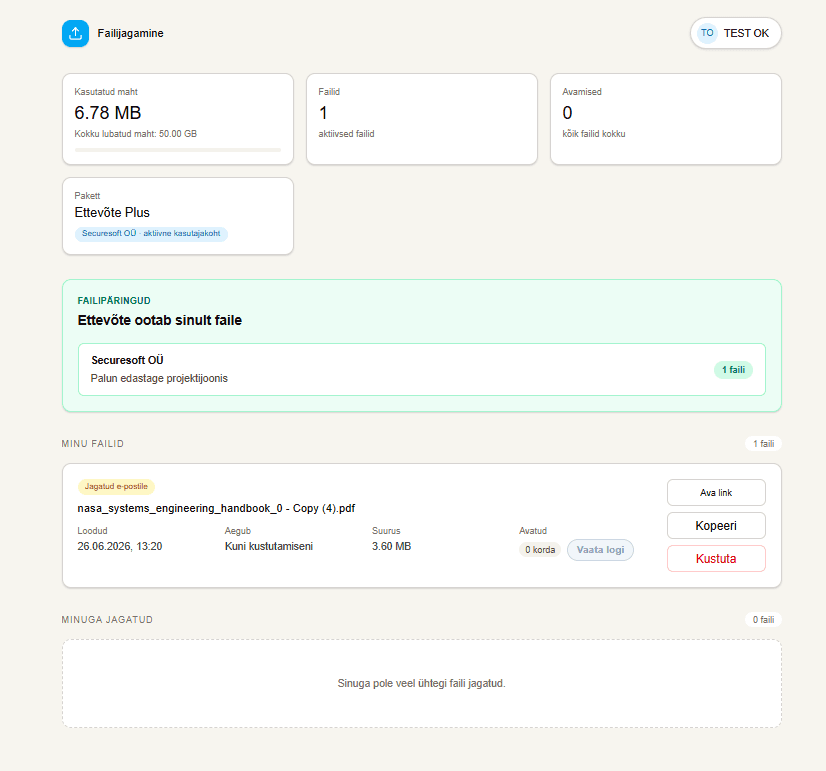
What is a file request?
A file request is an upload link created by your business. Instead of asking the client to choose their own sharing service, you give them one clear place to submit the requested files.
How does the file-request workflow work?
The request owner defines the conditions and shares the link. The contributor completes the required access check and uploads files into that request.
- Create a file request and define its expiry.
- Add email-based access control when required.
- Share the link and manage received files from your dashboard.
The contributor does not manage a shared folder
The client does not need to build a folder structure, add your business to their cloud workspace, or decide which transfer service to use. They follow the request link you provide.
When should you use a file request?
File requests are useful when the same business regularly collects material from clients, partners, or project participants.
- Collecting accounting or legal documents.
- Receiving photo, video, or design assets from a client.
- Gathering construction, manufacturing, or procurement project files.
Received files stay connected to the request
Uploaded files are associated with the specific request. The request owner can review and download them from the dashboard and continue the internal workflow.