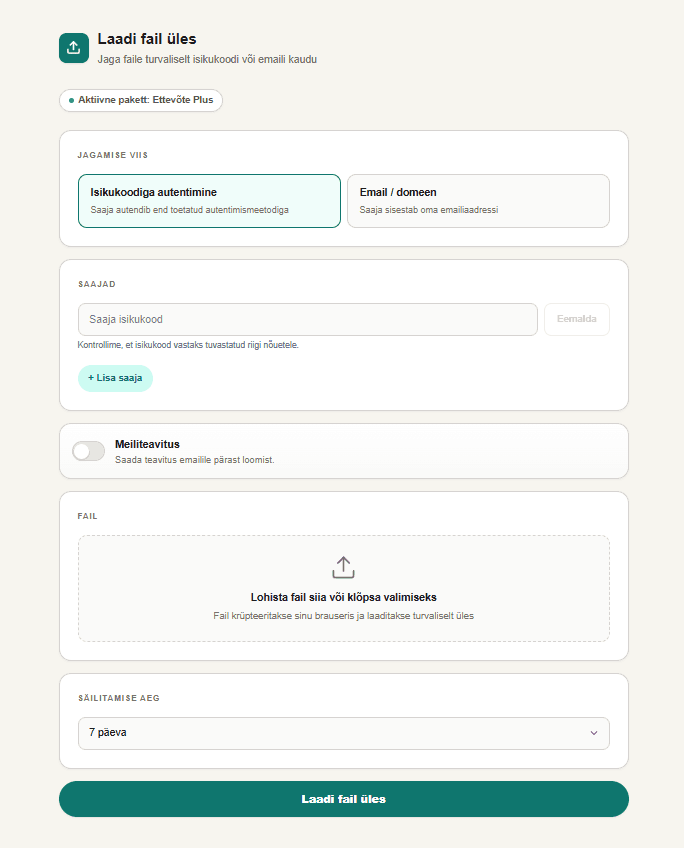
When do you need a dedicated transfer workflow?
Email attachments work for small documents, but video, photo, CAD, and project files quickly exceed attachment limits or require many files to move together.
- The file or bundle is too large for an email attachment.
- You do not want to create a shared folder or recipient account.
- The sender needs expiry, access rules, or a usage log.
1. Select the file or bundle
Sign in with a supported verified identity method and choose the file to upload. The technical file limit is configured by the service, while available capacity depends on the selected plan.
2. Define access and expiry
Before creating the link, decide how the recipient proves access and how long the file remains available.
- Restrict access by email, domain, or verified personal identity.
- Set an expiry date or, on paid plans, retain the file until deletion.
- Use email OTP or stronger authentication when required.
3. Send the link and track usage
Copy the generated link into your normal communication channel. The recipient opens the file without a Workfiles account, while the sender can review opening and download activity.
What should you check when choosing a service?
Do not compare free gigabytes alone. For business use, access control, retention, and traceability usually determine the real value of a transfer service.
- Can the recipient access the file without creating an account?
- Can you set expiry and restrict who may open the link?
- Can the sender see when the file was opened or downloaded?